
If you have ever wondered whether you already registered for a Poolesville Seniors event or need to cancel your registration, here is a way you can check.
The system we use for most registrations issues tickets for most of our events and sends both a Ticket notice email and an Order Complete email to the registrant as confirmation of registration.
Open any of these confirmation emails that have the subject line: “Your tickets for (PS Event Name)” or “Order Complete: (PS Event Name), scroll to bottom and click on the “Manage tickets” link (Note: The link is not included in your Reminder email – just your Order Complete or Your Ticket emails)
Can’t find any of those emails? Use this link: events.poolesvilleseniors.org/self-service/poolesvilleseniors?widget=true&modal_widget=true
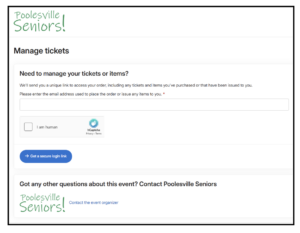
Enter your email address and follow the steps to Get a Secure login link
Check your inbox for the Manage your Tickets email with link to Manage your tickets or items.

Click on that link to see all the events for which you are registered. The link will remain active for 1 hour, then another 20 minutes after your click.
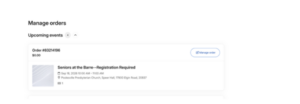
How to Cancel a Registration?
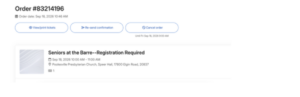
From the Manage orders screen, find the order to be cancelled, select Manage Order, and from the Order screen, select Cancel Order
If you encounter any problems following the directions email us at info.poolesvilleseniors.org